
Making Wireless IoT Project Easy, Smart, Secure.
GET A FREE SAMPLEWhen developing IoT and industrial embedded hardware, Wi‑Fi 6 has become a common option for new‑generation designs. Many hardware developers run into a typical pitfall: modules marketed as “Wi‑Fi 6” fall into two totally different categories. Some are client‑side networking add‑on modules that connect your device to existing routers, while others act as AP gateway units that broadcast Wi‑Fi signals. Picking the wrong type leads to costly board re‑designs and project delays.
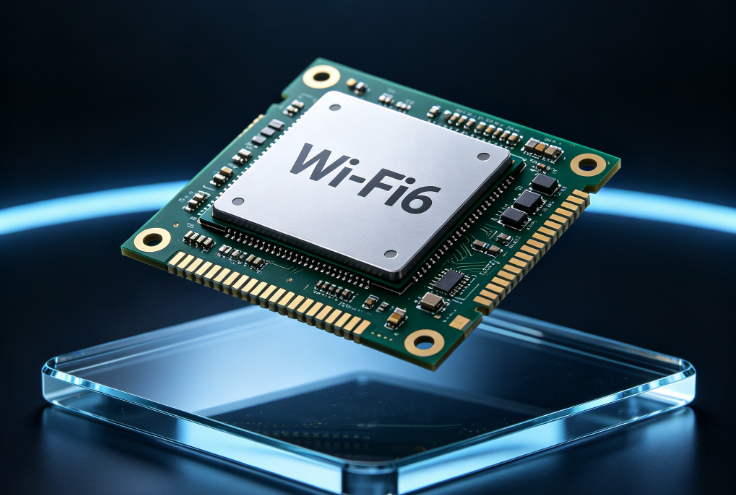
With years of experience in wireless communication modules, SKYLAB has three widely‑adopted Wi‑Fi 6 solutions: WG244, WG243 and SKW3000. They target client‑device connectivity and gateway‑router applications respectively. This article breaks down their differences to support your hardware selection process.
The WG244 is a dual‑band 2T2R wireless combo module built around the Realtek RTL8852BS chipset. It integrates both Wi‑Fi 6 and Bluetooth 5.2, communicating with host processors over the SDIO interface.
Common use‑cases include industrial tablets, portable handheld equipment, IP cameras and other embedded systems. It supports Linux, Android, iOS and Windows 10 operating systems. The module works on both 2.4 GHz and 5 GHz Wi‑Fi bands. Its Bluetooth 5.2 supports dual‑mode operation for BLE and BR/EDR, allowing simultaneous operation. Designers can avoid adding an extra discrete Bluetooth chip and save valuable PCB space.
One notable strength is its wide operating temperature range of ‑30 °C to 70 °C, delivering stable performance inside compact enclosures with limited heat dissipation. The module profile measures only 1.8 mm in height, making it suitable for space‑constrained mechanical designs.
For hardware implementation, note that the VDDIO IO voltage accepts either 1.8 V or 3.3 V. Match this voltage level exactly to your main host controller. Follow the power‑on sequence documented in the datasheet to prevent abnormal module initialization.
WG243 shares nearly identical RF performance with WG244. It is also a dual‑band 2T2R Wi‑Fi 6 plus Bluetooth 5.2 combo solution. Hardware‑level support covers WPA and WPA2 security; WPA3 can be enabled with proper firmware adaptation for commercial data security requirements.
The core distinction lies in host communication: WG243 uses USB2.0 / USB3.0 instead of SDIO. It fits projects where the main processor has no spare SDIO port but has available USB lanes. It is popular among X86‑based industrial motherboards and portable embedded hardware. Driver integration is relatively straightforward.
Because of the different interface layout, its height increases to 2.3 mm, and operating temperature is limited to ‑10 °C ~70 °C. Evaluate low‑temperature working conditions for outdoor deployments. During PCB layout, maintain proper impedance control for USB differential signal traces to preserve communication integrity.
Quick summary for WG243 & WG244: Both are client‑side wireless modules for end‑devices to join existing Wi‑Fi networks. Choose WG244 if your host has an available SDIO port. Select WG243 when USB is your preferred host interface.
Many engineers mix up SKW3000 with the two modules mentioned above. WG243 and WG244 act as clients receiving Wi‑Fi signals. SKW3000 functions as a main‑unit AP gateway that transmits Wi‑Fi signals to other terminal devices.
Based on the MediaTek MT7981A chip platform, SKW3000 integrates a dual‑core processor together with multi‑port gigabit ethernet switch hardware, delivering complete routing capability. It can be implemented for wireless routers, industrial communication gateways, NAS hardware and edge network devices.
On the radio side, it provides 2×2 MIMO for 2.4 GHz and 3×3 MIMO for 5 GHz bands, supporting concurrent connections from multiple end‑points. Working modes include AP, client, bridge and gateway. Developers only need to implement appropriate power supply and minimal peripheral circuitry. There is no requirement to build a full‑feature CPU minimal system from scratch, shortening product development cycles.
Power supply selection needs to comply with official specifications. Avoid undersized power adapters which may trigger unstable system behaviour.
Full datasheets, reference schematics and PCB layout recommendations are provided for all three modules, alongside driver resources for mainstream operating systems to reduce hardware‑software integration workload. All modules come in tape‑and‑reel packaging compatible with standard SMT assembly for mass manufacturing.
For practical project validation, we recommend ordering sample units for real‑world testing inside your target hardware setup. Run throughput measurement, Wi‑Fi / Bluetooth coexistence testing and thermal cycle verification before moving to mass production.
If you are developing IoT terminals, industrial equipment or gateway hardware and seeking Wi‑Fi 6 wireless solutions, reach out to SKYLAB to get complete technical documentation, sample availability information and technical integration support.
All technical figures are for reference only. Refer to the latest official datasheet for exact specifications.
Prev:Indoor Personnel Positioning Solution for Chemical Plants
Next:UWB module empowers high-precision ranging and positioning landing
Copyrights© Shenzhen Skylab Co.,LTD All Rights Reserved.


